
Tuffpuff Mobile App – Your Mobile Gaming Journey
Let’s walk through the full mobile path from first visit to first game. The Tuffpuff App experience gives you quick access to signup, login, games, bonuses, payments, support, and sports betting features where available.
When you Download Tuffpuff, think of it as setting up official mobile access through your browser and home-screen shortcut. No risky APK hunt, no mystery installer, no “one weird file will change your life” nonsense.
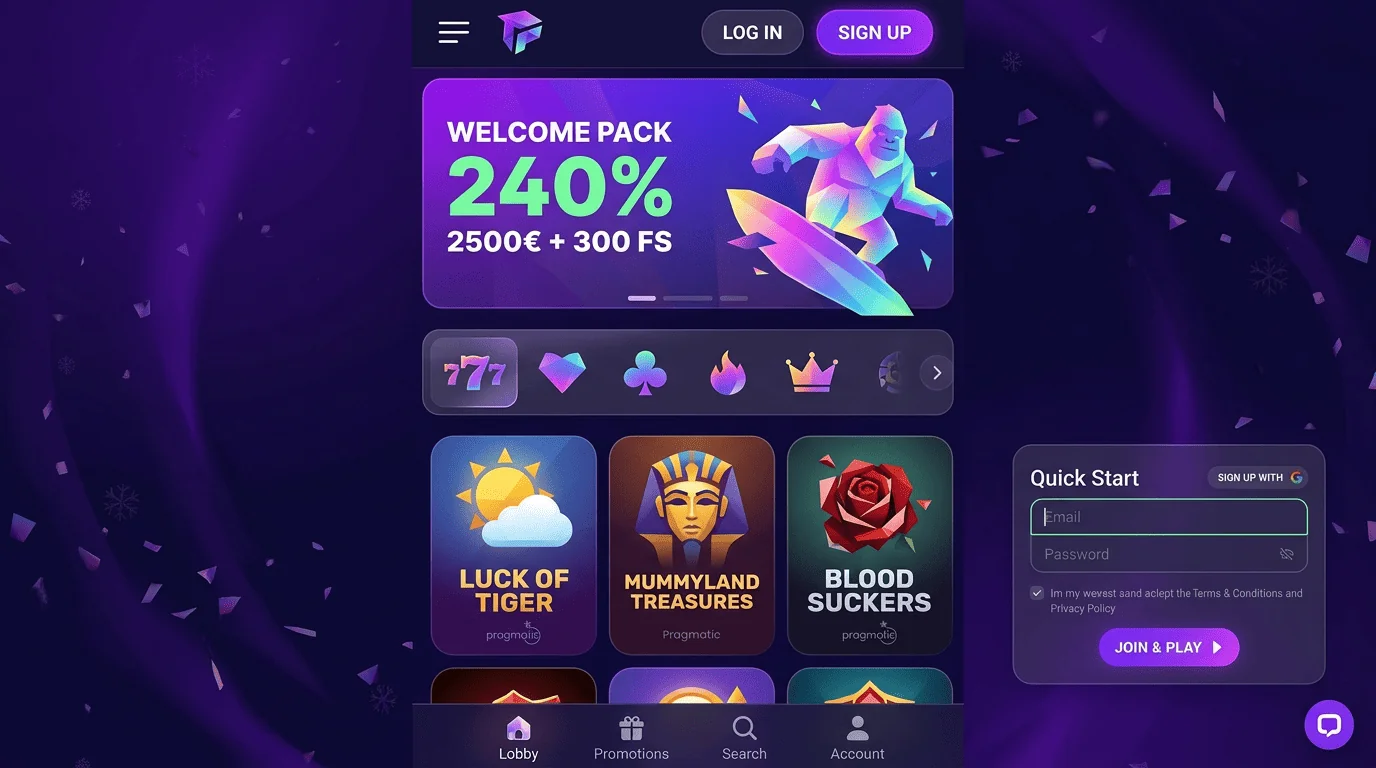
Step 1: Open Tuffpuff on Mobile
Your mobile journey starts with official access. Use your phone browser, open the platform directly, and check that the page loads securely before entering any account details.
The Tuffpuff Casino App setup is browser-based, so you do not need to install a native app from an unknown source. This keeps your account route cleaner from the start.
Browser Access
The easiest way to start is through Safari, Chrome, or another updated mobile browser. Open the official platform, wait for it to load, then choose login or registration.
The Tuffpuff Casino Mobile App route keeps your games, account tools, payment options, and rewards connected through one profile. You can switch between mobile and desktop without creating a second account.
| Browser route | Best use | Player tip |
| Safari | iPhone and iPad access | Keep it updated |
| Chrome | Android phones and tablets | Use official access |
| Mobile browser | Quick sessions | Check the address |
| Tablet browser | Larger screen view | Good for live games |
| Desktop fallback | Full account checks | Useful for documents |
A browser route is simple and flexible. It also means the platform can load the current version without you chasing updates manually.
Home Screen Shortcut
When you Download Tuffpuff access, you can save the official platform to your home screen. This gives you a faster way back without relying on third-party files.
Open the official site, use your browser menu or share button, then choose “Add to Home Screen” if your device supports it. After that, the shortcut opens the mobile platform almost like an app.
Before saving a shortcut, check:
- The official platform is open.
- The address looks correct.
- Your browser is updated.
- Your phone screen lock is enabled.
- You are not using a copied promo link.
- The page reloads cleanly.
The shortcut is useful for regular play. Big plus, it keeps convenience high without making account safety weird.
Secure Mobile Connection
Mobile access is only as good as the connection behind it. Before logging in, depositing, or requesting withdrawals, use a private network where possible.
The Tuffpuff App flow should stay away from public Wi-Fi during account actions. Public connections are fine for checking the weather, not ideal for casino payments.
Safe connection habits include:
- Use mobile data or trusted Wi-Fi.
- Avoid shared devices for login.
- Keep your phone locked.
- Update your browser regularly.
- Do not save passwords on public devices.
- Contact support if access looks unusual.
A secure connection makes the whole journey smoother. It is boring in exactly the right way.
Step 2: Create or Access Your Account
Once the platform opens, you can register or sign in. New players should create one clean profile, while returning players can use their existing details.
The Tuffpuff Mobile App experience works best when your account details are accurate from day one. Payments, rewards, support, and verification all become easier when your profile is clean.
Mobile Signup Flow
Mobile signup should feel simple on a smaller screen. Use the official registration route and enter your personal details carefully.
You may need to add your name, date of birth, email, phone number, address, and password. These details may later support verification or withdrawal checks.
| Signup field | Why it matters | Player tip |
| Full name | Confirms ownership | Use legal spelling |
| Date of birth | Checks eligibility | Enter carefully |
| Supports access | Use an active inbox | |
| Phone number | Helps security checks | Keep it current |
| Address | Supports verification | Match documents |
A clean signup saves time later. One typo now can become one very annoying payout delay later.
Mobile Login Process
Returning players can open the mobile platform and enter their registered login details. The Tuffpuff Casino App route should always start from official access, not old links or random app pages.
If login fails, check spelling, browser autofill, connection, and password status. Do not create another account just because recovery feels boring.
Good login habits include:
- Use your registered email or username.
- Enter the current password carefully.
- Avoid shared devices.
- Keep your email account secure.
- Use official recovery if needed.
- Log out after risky access.
When you Download Tuffpuff access as a shortcut, test it after saving. Make sure it opens the correct platform before you rely on it.
Account Verification on Mobile
Verification may be requested before withdrawals or during account checks. This can include identity, age, address, payment ownership, or extra document review.
The Tuffpuff Casino Android and iOS routes can both support account checks from mobile, but desktop may still feel easier for large file uploads. Use whichever device lets you send the clearest documents.
Useful verification checks include:
- Make sure documents are valid.
- Show all four corners.
- Keep text readable.
- Match profile details.
- Watch account messages.
- Respond with the exact files requested.
Verification is not the fun part, we know. Still, clear files can make the process much smoother.
Step 3: Explore the Mobile Lobby
Now you can move into the lobby. Mobile play is best when you know how to find categories, search games, and return to titles you like.
The Tuffpuff App experience should help you move between casino games, live tables, sports betting areas where available, bonuses, and account tools without feeling lost.
Game Categories
The mobile lobby may include slots, live casino, jackpots, table-style games, instant titles, and feature-heavy releases depending on availability. Sports betting access may also appear depending on your account and region.
The Tuffpuff Casino iOS experience can feel especially clean on updated Safari, while Android access depends more on browser and device performance. In both cases, official browser access is the safest route.
| Game area | Mobile feel | What to check |
| Slots | Fast and simple | Bet range |
| Live casino | Real-time action | Stream quality |
| Jackpots | Prize-focused | Restrictions |
| Table games | Rule-based play | Limits |
| Sports betting | Event-based, if available | Market rules |
Start with lower stakes while testing the mobile layout. A game can feel different on a phone than it does on a desktop.
Search and Filters
Search and filters help you avoid endless scrolling. You can look for game titles, categories, providers, or themes when those tools are available.
The Tuffpuff Casino Android route is useful for quick browsing when your browser is updated and your connection is stable. Close unused apps if the lobby feels slow.
Good search habits include:
- Use exact game names if known.
- Filter by category first.
- Check provider names when useful.
- Read game info before playing.
- Test loading before betting bigger.
- Switch games if one title feels slow.
Search tools save time, but game rules still matter. Open the paytable before your stake size gets ambitious.
Favorites and Recent Games
Favorites and recent-game tools can help you return to titles faster. They are useful when you test several games and want to keep the best ones close.
The Tuffpuff Casino Mobile App experience becomes smoother when you build a small personal shortlist. That way, every session does not start with the same “where was that game?” moment.
Useful shortlist habits include:
- Save games you actually enjoy.
- Remove titles that feel too fast.
- Keep bonus-eligible games separate.
- Review recent games before support requests.
- Track live games that load well.
- Avoid chasing one volatile title forever.
A good mobile lobby should help you find your rhythm. Use favorites as a tool, not a trap.
Step 4: Claim Bonuses on Mobile
Mobile bonus access should be easy, but not rushed. Always read the offer card before claiming anything from your phone.
A reward may include welcome value, free spins, missions, reloads, or account-based offers depending on what is active. The Tuffpuff Mobile App setup makes checking these offers easier from anywhere.
Welcome Bonus Access
Welcome rewards can help new players explore the platform with extra value when available. Open the Promotions area and check whether a current offer fits your budget and account status.
A bonus should be claimed only after you understand the terms. Wagering, expiry timing, eligible games, and withdrawal limits can all affect the real value.
| Bonus detail | What to check | Why it matters |
| Reward type | Spins, funds, or mixed offer | Shows what you get |
| Activation route | Button, code, or automatic | Prevents missed rewards |
| Wagering | Playthrough rule | Affects cashout |
| Eligible games | Allowed titles | Keeps play valid |
| Expiry | Time limit | Avoids lost rewards |
The Tuffpuff Casino iOS setup can make bonus reading easier on iPad, while phones are better for quick checks. Use the device that lets you read terms clearly.
Free Spins and Promotions
Free spins and promotions may appear through account messages, campaign pages, or bonus sections. Some rewards may need opt-in or code entry, while others may activate automatically.
The Tuffpuff Casino Android route can handle quick promo checks well, but do not rush through small text on a small screen. That is how expiry rules sneak past you like tiny casino ninjas.
Before using a promotion, check:
- Whether opt-in is required.
- Which games are eligible.
- When the reward expires.
- Whether wagering applies.
- Whether another bonus blocks it.
- Whether verification may be needed later.
Promotions should support your session, not confuse it. If the terms feel unclear, ask support before playing.
Bonus Terms on Small Screens
Small screens can make bonus terms easy to skim and easy to miss. Slow down before activating any reward.
Zoom in, rotate your screen if needed, or open terms on a tablet or desktop. The Tuffpuff Casino App experience is convenient, but careful reading still matters.
Good small-screen checks include:
- Maximum bonus bet.
- Eligible games.
- Wagering requirement.
- Expiry timing.
- Withdrawal caps.
- Active bonus status.
A bonus is only useful when you know how it works. The button can wait ten seconds.
Step 5: Play and Manage Your Account
After setup, signup, lobby browsing, and bonus checks, you are ready to play. Start with games that match your budget and mobile comfort level.
The Tuffpuff App journey should make account management part of the same flow. You can check balance, messages, rewards, responsible play tools, and payment status without leaving the platform.
Good first-session habits include:
- Start with smaller stakes.
- Test controls before longer play.
- Check bonus status before betting.
- Keep your budget visible.
- Avoid chasing losses.
- Stop when play stops feeling fun.
Mobile access makes play faster, so your limits matter more. Convenience should help your session, not rush your decisions.
Mobile Payments and Withdrawals
Payments from mobile should be handled carefully. Use official access, check available cashier methods, and review limits before confirming a deposit or payout request.
When you Download Tuffpuff access as a home-screen shortcut, remember that payments still run through the official mobile platform. Do not use copied payment pages or shared devices.
| Payment area | What to check | Smart move |
| Deposit methods | Available options | Choose a trusted route |
| Withdrawal options | Payout availability | Plan before playing |
| Limits | Minimum and maximum amounts | Match your budget |
| Bonus status | Active wagering | Check before cashout |
| Verification | Documents if needed | Upload clear files |
Use payment details in your own name. This helps with ownership checks and can reduce delays if documents are requested.
Support from Mobile Devices
Support should be reachable from mobile when something needs help. You may need assistance with login, bonuses, payments, game loading, verification, or account messages.
Clear details make support faster. “My game broke” is honest, but “this slot froze on Chrome Android after free spins started” is much more useful.
When contacting support, include:
- Registered email.
- Device model.
- Browser name.
- Screenshot if possible.
- Game or promo name.
- Payment details if relevant.
Support works best when your message is specific. Tiny details can save a lot of back-and-forth.
FAQ
Sports betting may be available depending on your account, region, and active platform setup. Check the live betting area for markets and rules.